Sample No. 0009
Discovering the xTool O1 Omni: Insights from 143 Prints
Uncover the strengths and weaknesses of the xTool O1 Omni UV printer based on extensive hands-on testing and 143 unique prints.

If you’re exploring the world of UV printing or are already considering a dedicated device, the xTool O1 Omni is definitely a standout option worth your attention. This desktop UV printer offers a blend of portability, versatility, and advanced features that cater to beginners and experienced users alike.
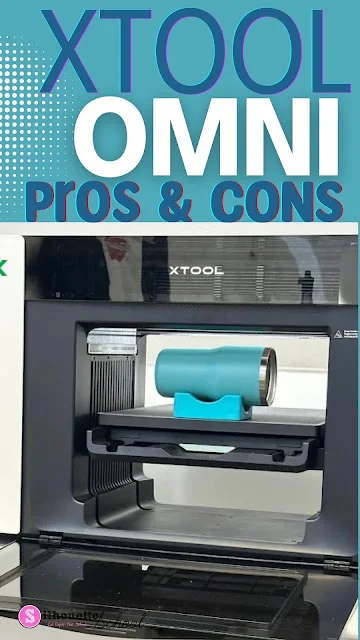
My Experience with the xTool O1 Omni
Over the past few weeks, I’ve dedicated my time to using the xTool O1 Omni extensively, producing a total of 143 prints across two different machines. The breakdown of prints includes 78 from one model and 65 from another, utilizing three different software versions to test its capabilities. This level of usage has provided me with substantial insight into its performance, ease of use, and potential drawbacks.
Key Features of the xTool O1 Omni
The xTool O1 Omni comes with a variety of significant features that enhance its functionality. One of the most notable aspects is its dual-head printing capability, which allows for efficient and high-quality print jobs. This means you can handle different materials simultaneously, adapting to various project needs without delay.
Another major feature is its compatibility with multiple materials. Whether you’re printing on wood, acrylic, glass, or even fabric, the versatility of the xTool O1 Omni makes it suitable for many creative projects. This broad range of applications opens up numerous possibilities for personalized crafts, promotional items, or even small-scale manufacturing needs.
Printing Quality and Capabilities
From my experience, the quality of the prints produced by the xTool O1 Omni is generally impressive. The color saturation and detail in prints are particularly noteworthy, even on more complex designs. The machine maintains sharp edges and vibrant colors, ensuring that the final products meet high aesthetic standards.
However, it's important to note that achieving consistent quality across different materials requires careful adjustment of settings. This is where the machine’s versatility can become a challenge, as I found that specific materials demanded unique configurations to avoid issues like smudging or inadequate adhesion.
Pros of the xTool O1 Omni
- Versatility: The capability to print on multiple surfaces broadens the range of projects you can undertake, making it an excellent option for crafters seeking variety.
- User-Friendly Interface: The software designed for the xTool O1 Omni is intuitive, allowing users to get up to speed quickly, even with minimal prior experience in UV printing.
- Quality Prints: Achieving high-quality prints with clear details and vibrant colors is one of the machine's standout features.
Cons of the xTool O1 Omni
- Learning Curve: Despite its user-friendly interface, mastering the machine's settings for different materials entails a bit of a learning curve. New users may encounter challenges along the way.
- Print Size Limitations: While the printer is excellent for many projects, it does have restrictions on the size of materials you can use, which may limit large-scale creations.
- Maintenance Needs: Frequent printing means that you have to be diligent about maintenance to keep the printer in optimal working condition, including regular cleaning and calibration checks.
Common Mistakes and Considerations
During my testing of the xTool O1 Omni, I stumbled upon a few common mistakes that I believe new users should be aware of. For instance, not adjusting the ink saturation for various materials can lead to subpar quality prints. Additionally, skipping the pre-print setup process can cause alignment issues, resulting in misprints.
Taking the time to thoroughly understand the software settings is vital. Users should familiarize themselves with the best practices for each type of material and ensure proper calibration before beginning a print job. These small steps can prevent frustration and save time in the long run.
Conclusion
Based on my extensive hands-on experience, the xTool O1 Omni stands out as a compelling choice for anyone focused on UV printing. While it presents some challenges, especially for newcomers, the rewards of its versatility and print quality are substantial. It truly shines when users invest time in learning its ins and outs, ensuring they can capitalize on everything it has to offer. Whether you’re crafting unique gifts or producing merchandise, the xTool O1 Omni is equipped to handle a variety of creative endeavors.
For anyone serious about diving into UV printing, I can confidently recommend the xTool O1 Omni as a valuable addition to your crafting toolkit.