Sample No. 0008
Download Embrilliance Essentials: Your Guide to Effective Sewing and Embroidery Design
Learn how to download Embrilliance Essentials, the powerful embroidery software, and discover the features that set it apart from the free version.

Embrilliance Essentials offers sewing and embroidery enthusiasts a versatile software solution, accommodating both Mac and PC users. This program shines in its ability to combine, edit, and enhance embroidery designs, bringing new possibilities to your crafting projects and saving time in the process.
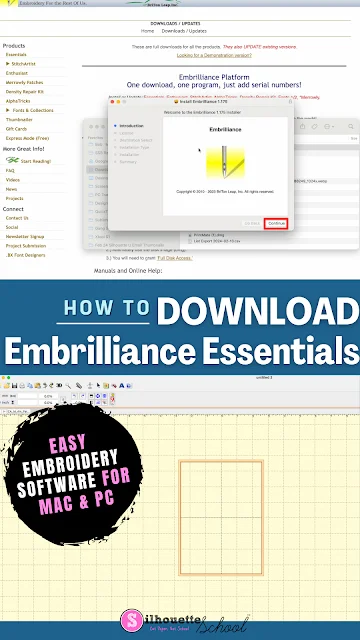
Many crafters appreciate the flexibility provided by this software, especially when merging appliqué or embroidery designs. Users, like myself, often find that it pairs excellently with machines like the Brother SE2000 or the predecessor model, Brother SE600. The SE600 has been replaced by the slightly more advanced SE700, showcasing enduring compatibility with modern software solutions. This level of compatibility is essential, especially as technology continues to advance, ensuring that crafters can maximize their machinery's potential even as new models are released.
Understanding Embrilliance Express vs. Essentials
For those just getting started, it’s significant to know that Embrilliance Express is the free version of the software. While it can open and convert embroidery files, it lacks several powerful features found in its paid counterpart, Essentials. This limitation can be a stumbling block for users who may assume they'll have all necessary functionalities from the outset. The upgrade is a one-time purchase, making it a rewarding investment for regular users who are serious about embroidery.
Feature Comparison: Essentials vs. Express
To provide clarity, here's a detailed comparison of what each version offers:
| Feature | Express (free) | Essentials (paid) |
| Open and view embroidery files | Yes | Yes |
| Save stitch files for your machine | Yes | Yes |
| Install and type in BX fonts | Yes | Yes |
| Runs on Mac and Windows | Yes | Yes |
| Combine and merge multiple designs | No | Yes |
| Resize 50% to 250% with stitch recalculation | No | Yes |
| Stitch editing | No | Yes |
| Lettering and monogram tools, 21 built-in fonts | No | Yes |
| Applique tools | No | Yes |
| Thread color changes and brand conversion | No | Yes |
| Remove hidden and overlapping stitches | No | Yes |
| Print full-size templates | No | Yes |
| Built-in stitch simulator | No | Yes |
| Send designs to Brother and Baby Lock over WiFi | No | Yes |
| One license for unlimited computers, Mac and Windows | - | Yes |
This chart illustrates the core differences: if your needs are basic—simply opening and sending files to your embroidery machine—then Embrilliance Express will suffice. However, if you're looking to create intricate designs, merge elements, resize files, or prep for appliqué, Essentials is the software you want. The differentiation really illuminates the paths available for crafters, revealing that as your skills grow, so might your needs for software compatibility and functionality.
Why Choose Embrilliance Essentials?
If you own a Silhouette cutting machine, Embrilliance Essentials becomes even more advantageous. It can generate appliqué cut files directly from the placement stitches, optimizing your workflow by allowing your CAMEO to cut fabric while your embroidery machine stitches it. This feature streamlines the crafting process, combining cutting and stitching into a single, efficient step. It simplifies what could be a complex and time-consuming setup, enhancing the user experience overall.
Whether you're a beginner exploring the basics of embroidery software or a seasoned crafter looking for powerful tools, Embrilliance Essentials can greatly enhance your projects. With its user-friendly design and comprehensive features, it supports a wide array of functionalities that will elevate your sewing and embroidery experience. If you're ready to unlock the full potential of your sewing and embroidery machine, downloading and installing Embrilliance Essentials is a step in the right direction.
Implications and Future Outlook
The growing popularity of home crafting and personalized embroidery signifies a shift in consumer behavior. People are increasingly turning towards unique, handmade items, which creates a demand for software that meets these needs. As such, software solutions like Embrilliance Essentials are likely to see continued development and updates to remain relevant in this dynamic market.
In this changing environment, staying updated on software capabilities can increase your competitiveness in the crafting space. If you're working in this space, understanding what tools are available and how they interact with your existing machinery and designs is pivotal. Crafting isn't just a hobby; it's an evolving landscape where creativity meets technology. So as embroidery software evolves, the need for updated skills and knowledge will rise in tandem.
For detailed guidance on using PES embroidery files in Silhouette Studio, you can refer to this helpful tutorial.